
How to get a transcript of a YouTube video
Ever watched a long YouTube video just to find one quote or a small detail? Going back and forth through the timeline can take ages, especially when you don’t remember exactly where something was mentioned.
So, how to get the transcript of a YouTube video? You can use YouTube’s built-in transcript feature when it’s available, or use an online tool to get the text without typing everything out yourself. Some tools can also generate a transcript from the audio when a video doesn’t have subtitles.
Why get YouTube video transcript?
A YouTube video transcript can be useful in all sorts of situations. Students can use it to prepare for class, researchers can find a specific quote, and content creators can use the material to write an article or plan their next project.
The benefits are simple:
- Find the part you need without watching the whole video again.
- Copy and edit the text as needed.
- Translate it into another language.
- Work through long videos more easily by reading the text.
- Use the transcript for notes, articles, and other projects.
Having the text from YouTube video makes it much easier to find the information you need and use it later.
How to quickly get text from YouTube video
The easiest way is to use an online YouTube transcription tool.
STEPS:
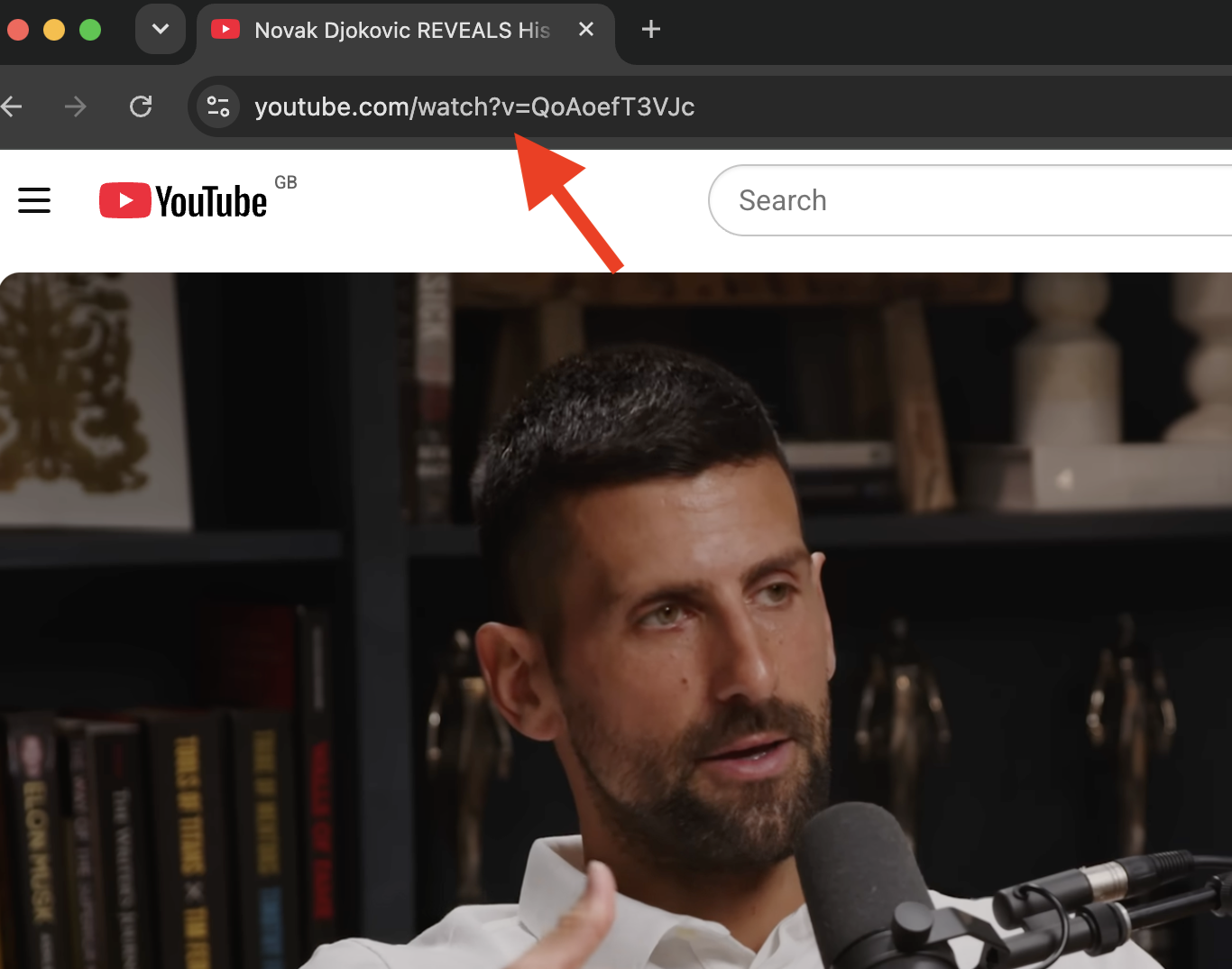
1. Copy the video link
Open the YouTube video you want to transcribe. Copy its URL from your browser’s address bar or click Share and copy the link.
2. Paste the link into the tool
Open the YouTube transcript tool and paste the video link into the input field. There’s nothing to install.

3. Generate YouTube transcript
Click “Generate Transcript” to turn the YouTube video into text. The tool will process the video and prepare a text version of its content.

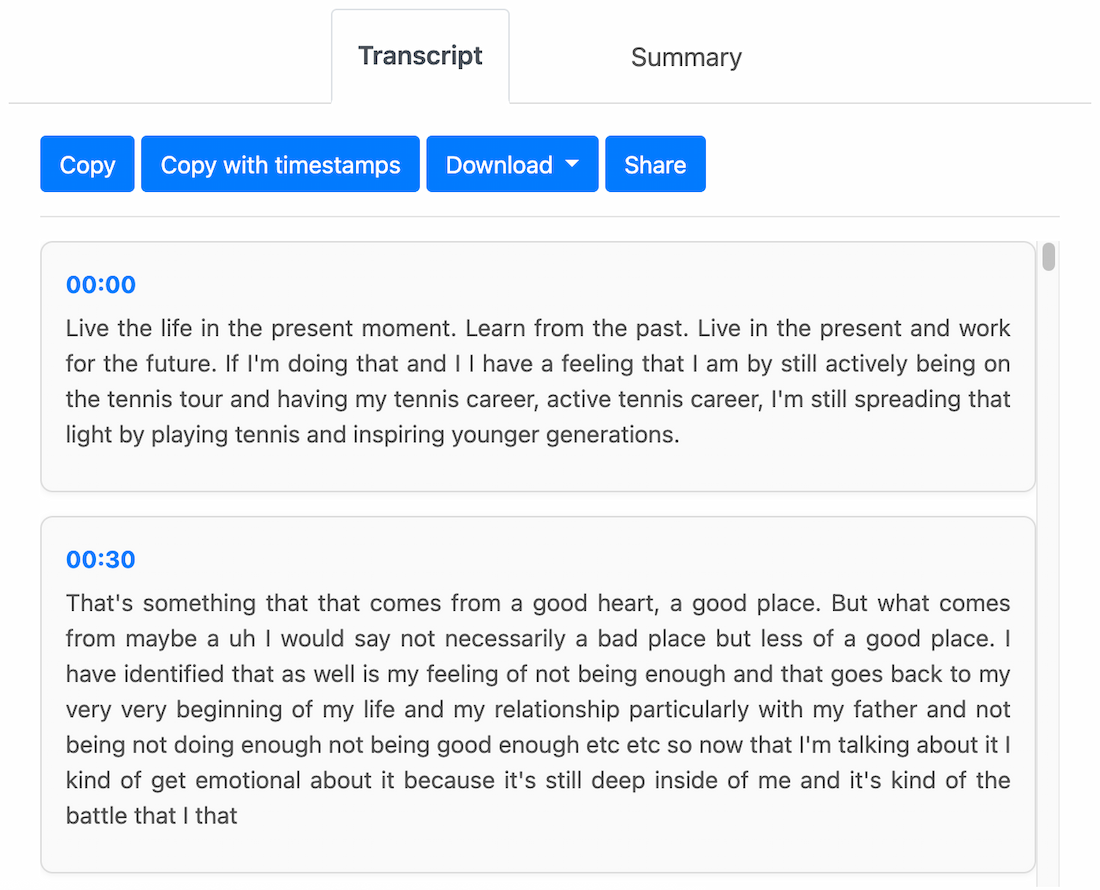
4. Review the transcript
Once the video has been processed, you can read through the text, find a specific section, or copy part or all of the transcript.
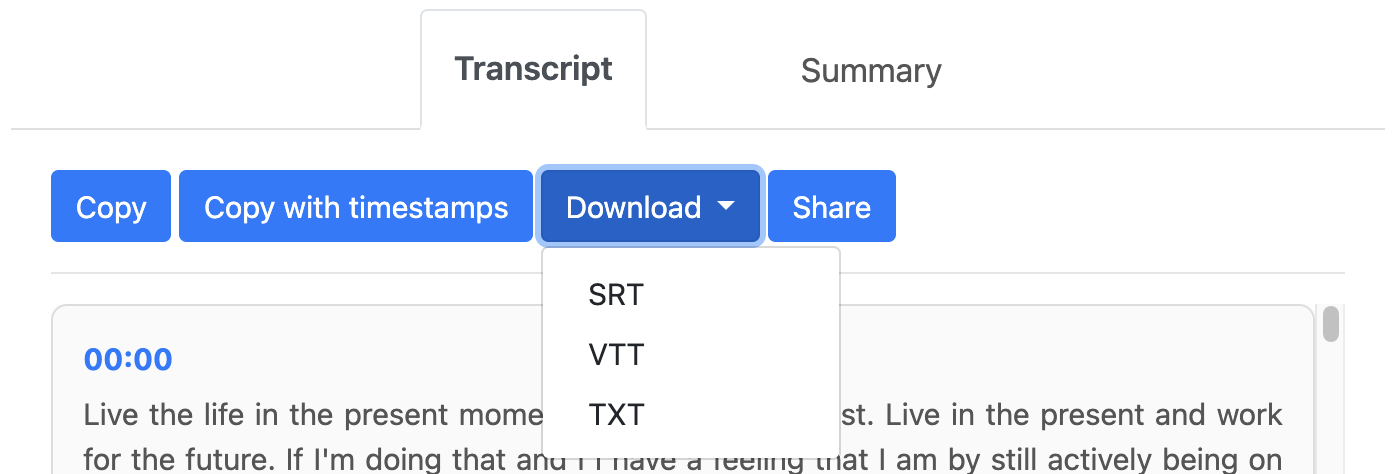
5. Save the transcript
You can copy the text or download it in SRT, VTT, or TXT format. This is useful if you want to keep the transcript and use it later.
What to do if a YouTube video has no subtitles
Not every YouTube video comes with subtitles. Sometimes the creator hasn’t added any, automatic captions aren’t available, or subtitles are only provided in certain languages.
In this case, you can use an AI transcription tool such as TubeTranscript. It analyses the video’s audio, recognises the speech, and turns spoken words into text automatically. This means you can transcribe YouTube video to text even when the video has no subtitles.
What does a YouTube transcript look like?
A transcript usually appears as plain text divided into paragraphs. With TubeTranscript, you can choose how to download the text: with or without timestamps.
00:02 – Conversation starts
00:18 – Next section
01:05 – New topic
Timestamps are especially useful for interviews, lectures, and long videos. They help you see where a particular section begins and quickly find that moment in the original video.
A transcript without timestamps is better when you simply want to read or work with the text. It’s easier to copy, edit, translate, use for notes, or search for specific information.
You can also download the YouTube transcript in SRT, VTT, or TXT format and use it later. The best option depends on what you need the text for.
Conclusion
You can transcribe YouTube video to text without typing everything out yourself or spending hours going through the video. Just copy the video link, paste it into an online tool, and wait for the transcript.
This is especially useful for lectures, interviews, podcasts, and tutorials. Once you have the text, you can scan it, find the section you need, copy or edit it, translate it, or save it for later.
TubeTranscript can also use AI to generate a transcript when a video doesn’t have subtitles. You can choose a version with or without timestamps, depending on whether you want to read the text or find specific moments in the video.