
How to Convert a YouTube Video to Text Online
Sometimes a video is worth watching, but you don’t have time to sit through the whole thing. Other times, you just need one answer, a useful quote, or a detail buried in a long lecture. In these cases, having the content in text form can be much more convenient than searching through the video.
A YouTube video to text converter lets you turn a video into text online for free, without typing everything out yourself. Just paste the link into a tool such as TubeTranscript. It can extract available subtitles or use AI to transcribe the audio when subtitles aren’t available.
Once the text is ready, you can search for specific information, copy the passages you need, or save the transcript for later.
When text from a YouTube video is more useful than the video itself
Text is especially helpful when a video is long but you only need part of the information.
Imagine a two-hour interview. You remember that a particular topic came up, but you can’t remember where. Scrubbing through the video to find that moment can be frustrating. With a transcript, it’s much easier: search for a word or name and find the relevant section.
You can also convert YouTube video to text to take notes, prepare materials, translate content, or work with quotes.
5 reasons to convert YouTube videos to text
- Save time. Reading a transcript is often much faster than watching the entire video, especially when you only need specific information.
- Find information quickly. Use
Ctrl + F(Cmd + Fon Mac) to search for keywords and phrases instead of skipping through the video at random. - Make notes more easily. Organize the text, highlight the main points, or paste it into an AI tool for further analysis.
- Reuse content. If you run a blog or create content, a transcript can help you turn ideas from a video into Instagram posts, LinkedIn articles, website content, Facebook posts, and social media threads.
- Learn a language. Transcripts of videos in another language make it easier to understand complex expressions, industry jargon, and unfamiliar words.
How to Convert a YouTube Video to Text
The easiest way is to use an online tool such as TubeTranscript. There’s no need to download the video to your computer first.
1. Copy the video link
Open the YouTube video and copy its URL from the browser’s address bar:

or by clicking Share:

2. Paste the link
Open an online YouTube-to-text tool, paste the video link into the input field:

and click “Generate Transcript”:

3. Get the YouTube transcript
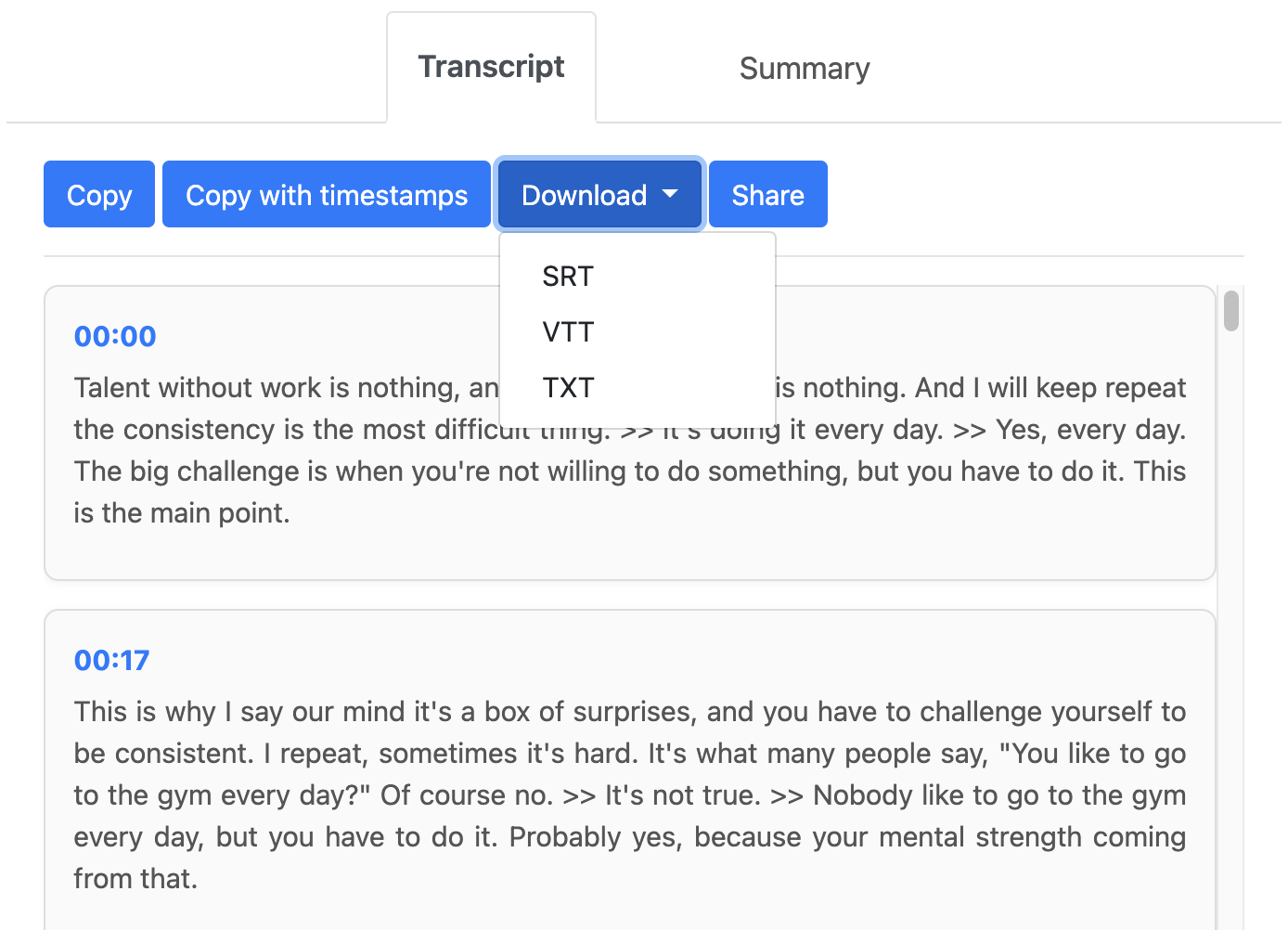
Once you start, the tool generates a YouTube transcript of the video. If subtitles are available, it can use them. Otherwise, AI transcribes the audio into text.
4. Check the result
Once you convert YouTube to text, you can read the transcript and check how it’s displayed. You can also search for a specific word or phrase and copy it whenever you need.
5. Save the YouTube transcript
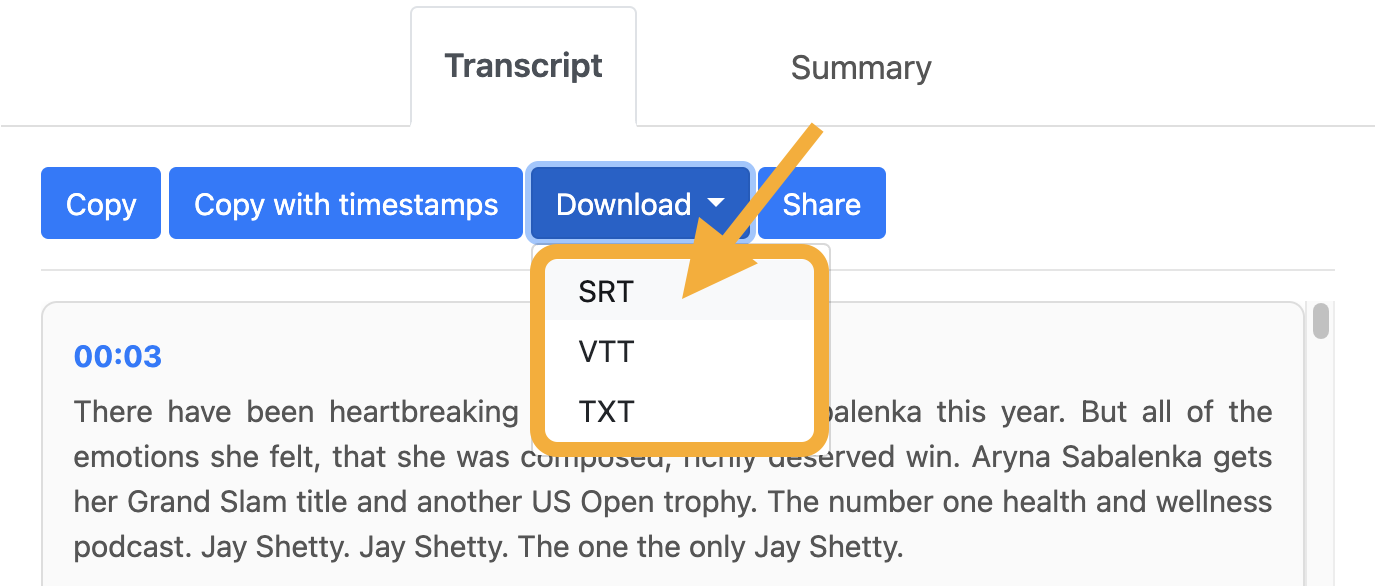
Once you’re done, you can copy the YouTube text or download the transcript in TXT, SRT, or VTT format for later use.
What to do with text from YouTube: 4 ways to use it
You’ve converted a YouTube video to text online – what next? Here are 4 ways to get the most out of your transcript.
1. Turn it into study notes in seconds
Paste the transcript into ChatGPT, Claude, or another AI assistant with this prompt:
“Create a concise set of study notes from this text. Highlight the 5 main points, key terms, and conclusions in a bulleted list: [PASTE TEXT]”
2. Turn it into an expert blog post
If the video contains valuable information, turn the transcript into a practical written guide:
- Break the transcript into clear, logical sections.
- Add H2 and H3 headings.
- Remove filler words, repetitions, and unnecessary phrases such as “uh,” “you know,” and “well.”
3. Plan content and create social media posts
A single hour-long interview or podcast can provide material for 5–10 short posts for your Telegram channel or another social media platform:
- Pick out the speaker’s most memorable quotes.
- Highlight a specific example or story to make the content more engaging.
- End with a concise takeaway and a question for your audience.
4. Translate and adapt content from other languages
Found a useful tutorial in English? Here’s how to make it easier to follow:
- Extract transcript from the YouTube video.
- Translate it using an online translator or AI tool.
- Save the translated step-by-step guide so you can refer back to it without rewatching a 40-minute video in another language.
Can you convert a YouTube video to text for free?
Yes, there are online tools that let you get a transcript without installing any additional software. One option is TubeTranscript.
In most cases, all you need to do is paste the video link and generate YouTube transcript. However, features vary between tools, so it’s worth checking which formats and languages are supported and whether any usage limits apply.
YouTube transcript checklist: what to check
Automatic transcription saves time, but it’s worth reviewing the text before publishing it or using it for other purposes. This is especially important for interviews, lectures, and professional videos that contain names, technical terms, and complex phrasing.
- Names and terminology: Speech recognition algorithms can misidentify surnames, brand names, and specialized terms.
- Punctuation: Check that the speech is broken into sentences so the transcript doesn’t read like one long stream of words.
- Meaning: Compare specific passages with the video if a phrase seems unclear or ambiguous.
Who needs a YouTube video transcript, and why?
People searching for “youtube video to transcript” usually have a specific task in mind. Here are some of the most common use cases:
- Students and course participants can turn lectures into study notes and prepare for exams without rewatching the recordings.
- Copywriters and bloggers can use interviews or podcasts as the basis for articles without transcribing everything manually.
- Marketers and SEO specialists can get a text version of a video to repurpose as website content or use for keyword research.
- Researchers and journalists can quickly find a specific quote in a long speech or press conference.
- People with hearing loss can read the video’s content when listening to the audio is difficult.
- Anyone who can’t listen to a video at the moment can read the transcript later, whether they’re in a noisy place, commuting, or on a call.
In all these cases, the goal is the same: converting a YouTube video to text isn’t about making text better than video. It’s about making the content easier to work with.
Conclusion
Knowing how to convert YouTube video to text can save you time and make useful information easier to find, review, and reuse. Whether you need notes for studying, quotes for an article, or a transcript to translate, having the text at hand makes the process much easier. Try TubeTranscript to turn a YouTube video into text and put its content to work for you.