
How to Summarize a YouTube Video
Long podcasts, two-hour lectures, and detailed webinars can be packed with useful information, but finding the part you need often means watching the whole video. It’s even harder when you don’t know where a particular topic comes up.
In this guide, we’ll look at how to summarize YouTube video, which tools can help, and how to get a YouTube summary that captures the main points rather than simply shortening the original text.
Why summarize a YouTube video?
A YouTube summary helps you get the gist of a video before watching it all the way through. It’s especially useful when the video is long or you’re trying to decide whether it’s worth your time.
A video summary can help you:
- Save time on long lectures, interviews, and podcasts.
- Prepare notes, checklists, or summaries for your team.
- Create social media posts, articles, and threads based on videos.
- Translate and adapt content for a different audience.
- Refresh your memory of a video you’ve already watched.
- Decide whether a video is worth watching in full.
A summary can’t replace the original video in every situation, though. If you need exact wording, tone of voice, visual details, or the full context of a discussion, it’s best to watch the relevant parts of the video.
How to summarize a YouTube video
There are several ways to get a YouTube summary. The best option depends on how much detail you need and what you want to do with the content.
Method 1. Get a transcript first
If you don’t want to find and copy the transcript yourself before using an AI tool, an online transcription tool can save you time.
With TubeTranscript, just paste the YouTube video link to get the transcript. You can then use the text to summarize YouTube video, make notes, or pick out the main points.
How it works:
- Copy the link to the YouTube video you want to summarize.

or click “Share” and copy the link.

2. Paste the link into the online transcription tool.

Then click “Generate Transcript”:

3. Get the YouTube video transcript without transcribing it manually.
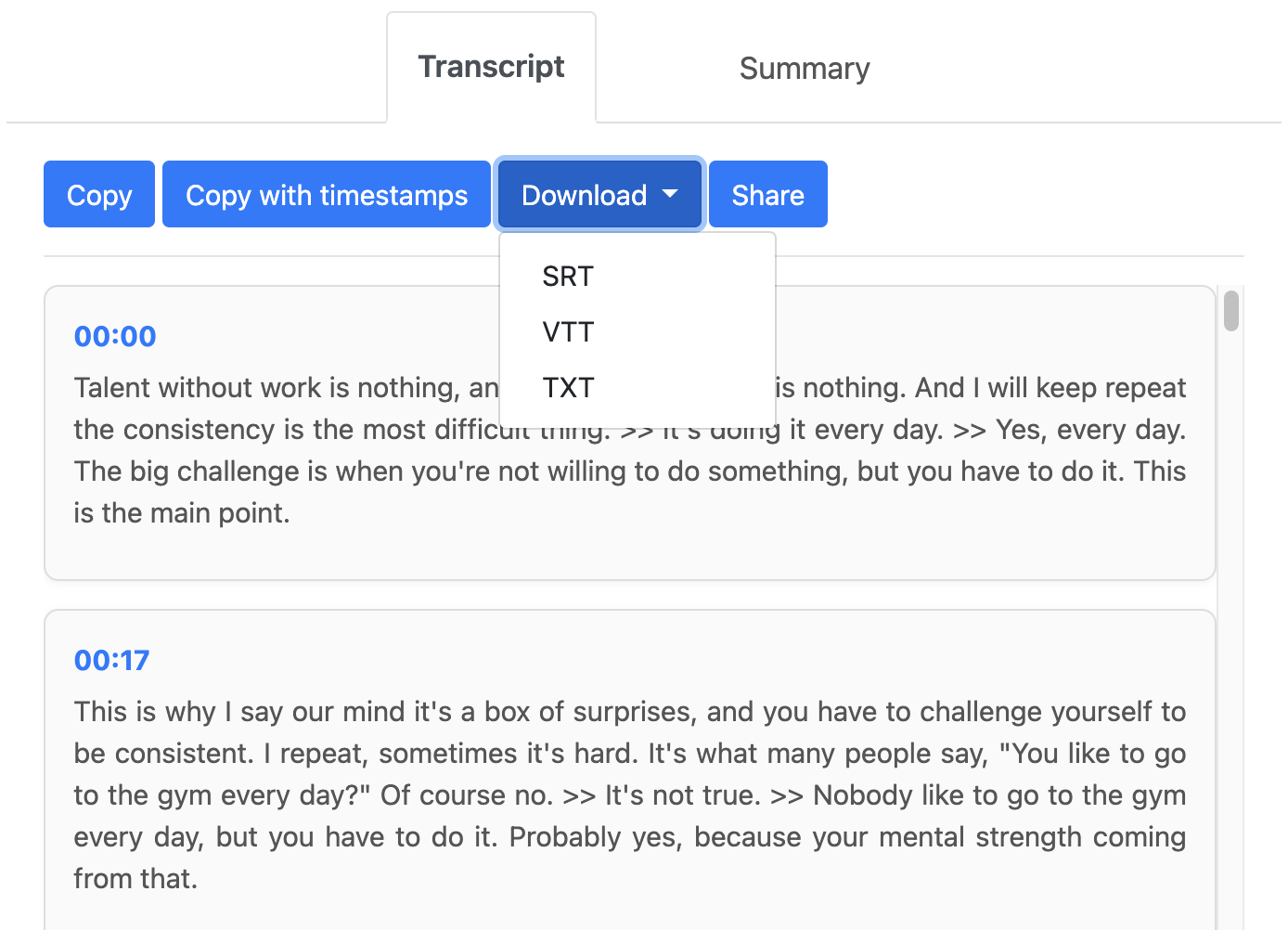
4. Use the transcript to summarize the video or process it with an AI tool.
Once the transcript is ready, use summarization feature to get a concise overview of the main ideas and key points without reading the entire transcript.
5. Save the text if you need it later.
Save YouTube summary in your notes or a document so you can revisit the key points later without watching the video again.
If you want to summarize YouTube video from a link, this is a simple way to get started. Just paste the video URL into the tool, get the transcript, and use the text to create a summary.
Method 2. Read the YouTube transcript and pick out the main points (more time-consuming)
If subtitles are available, YouTube may provide a transcript for the video. To open it, go to the video page, expand the description, and select “Show transcript.” The full text will appear with timestamps.
You can then read through the transcript, identify the main ideas, and write your own summary. For a short lecture or interview, it may be enough to pick out a few key points and remove repetition and unnecessary details.
This approach works well for shorter videos when you want to decide for yourself what to include in the summary.
With longer videos, though, it can take quite a bit of time. An hour-long lecture can produce pages of text that you still need to read and work through.
Method 3. Use an AI tool (ChatGPT, Gemini, Claude, or Perplexity)
Another option is to give an AI tool the content of a YouTube video and ask it to pick out the main points.
An AI tool can summarize YouTube video based on its transcript, identify the key topics, remove repetition and unnecessary details, and present the information in a more concise format.
Instead of the full text of a lecture, for example, you can get:
- A few key points.
- A summary organized by topic.
- A list of important takeaways.
- Questions and answers based on the content.
- A short summary in one or two paragraphs.
This approach gives you more than just a shorter version of the original text. You can get the information in the format that works best for you. An AI-generated YouTube video summary can be useful for studying, research, or creating content.
Ready-to-use AI prompts
Once you have the transcript, you can paste it into an AI tool and ask it to summarize the main points. Here are a few prompts you can use for different tasks.
Basic prompt for summarizing a YouTube video
“Summarize this YouTube video transcript in 7–10 sentences. Identify the main idea, key facts, and the speaker’s conclusions. Remove repetition, examples, and minor details. Don’t add any information that isn’t in the original text. Use clear, straightforward language without unnecessary filler.”
Prompt for detailed notes
“Create structured notes from this YouTube video transcript. Divide the content into main topics and list 3–5 key points for each one. Finish with a separate list of the main takeaways. Keep important facts, figures, and examples, but remove repetition and less relevant details.”
Prompt for a quick video analysis
“Analyze this transcript and answer the following questions:
- What is the video about?
- What are the five main points?
- What facts or arguments support these points?
- What conclusions does the speaker reach?
Keep the answer brief, clear, and well organized. Avoid repetition.”
Prompt for content ideas
“Based on this YouTube video transcript, come up with five content ideas for social media posts, articles, or short videos. For each idea, give a topic, the main point, and a brief explanation of how it would help the audience. Use only information from the transcript. Don’t add unverified facts or repeat the same idea.”
When should you watch the full video?
A summary is useful, but sometimes it’s not enough. Watching the full video is a better choice when:
- Visuals or demonstrations are important.
- You need the speaker’s exact words.
- The video explains a complex topic.
- Tone, emotions, or the context of the conversation matter.
- You need an exact quote.
For everything else, a summary can help you get the main points much faster.
Conclusion
If you want to understand a long YouTube video quickly, you don’t have to watch it from beginning to end. You can get the transcript and use it to pick out the main points.
So, how do you summarize a YouTube video? Copy the video link and paste it into TubeTranscript. The tool lets you get a transcript and create a summary to help you quickly understand the main topics and takeaways.
You can also copy or download the transcript and use it separately. For example, paste it into ChatGPT, Gemini, Claude, or another AI tool to create your own summary, notes, or analysis.